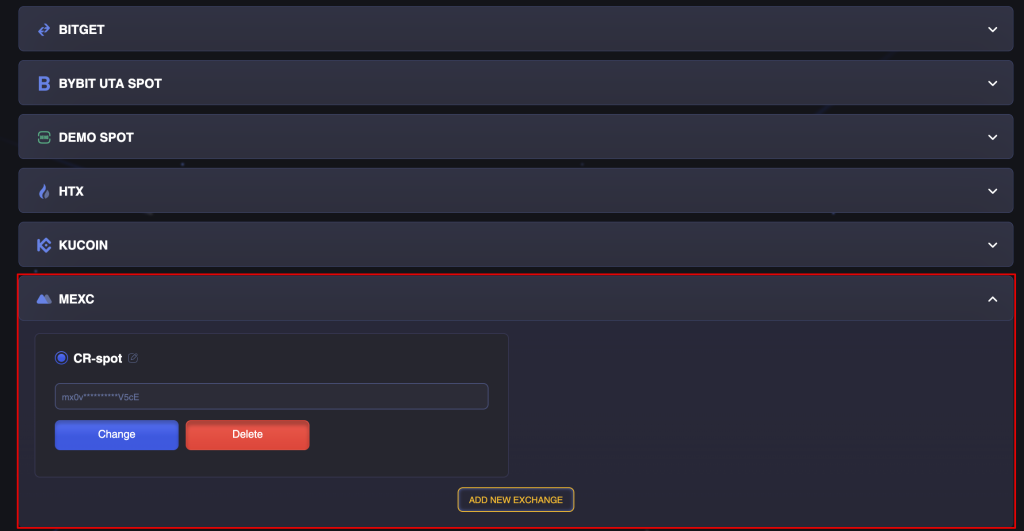
You can create API keys for the MEXC exchange in two ways:
- automatically
- manually
Automatic Creation and Integration of API Keys
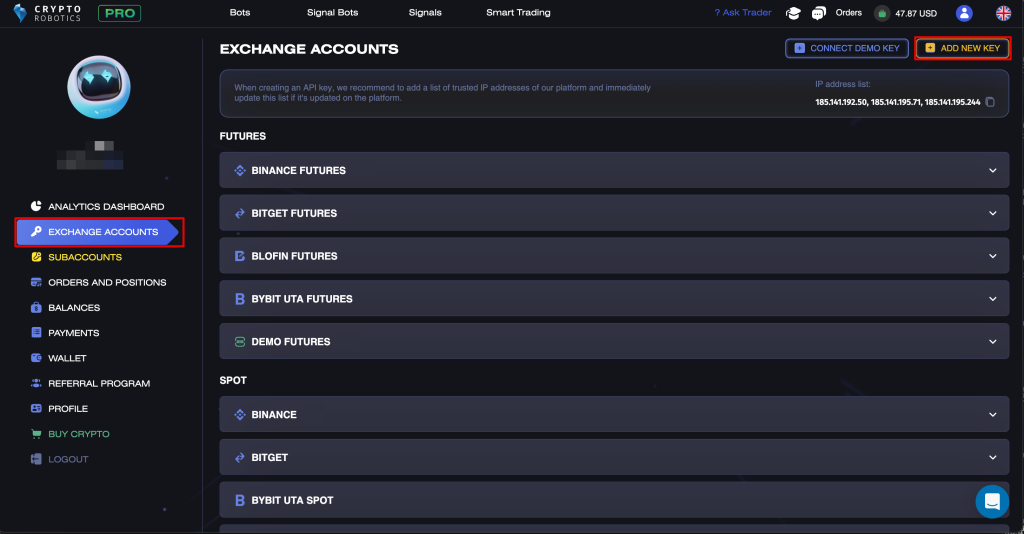
Use the ADD NEW KEY button in the Account → Exchange Accounts section.
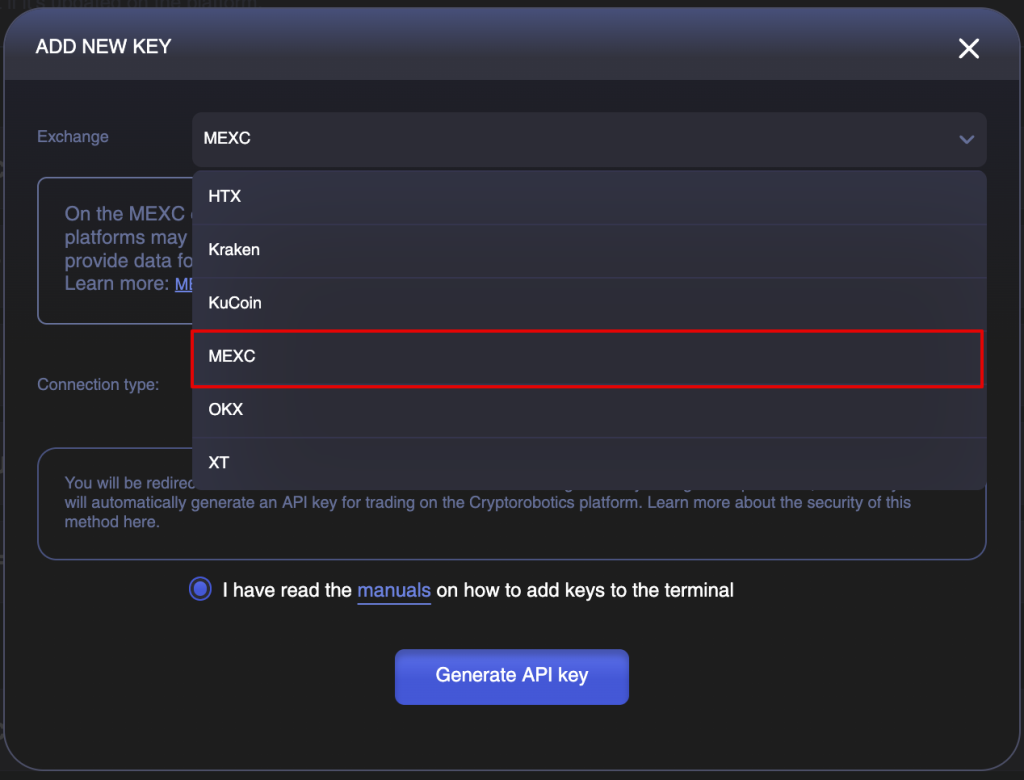
Select MEXC from the list of available exchanges.
Make sure the connection type “Generate automatically” is selected, then click “Generate API Key”.
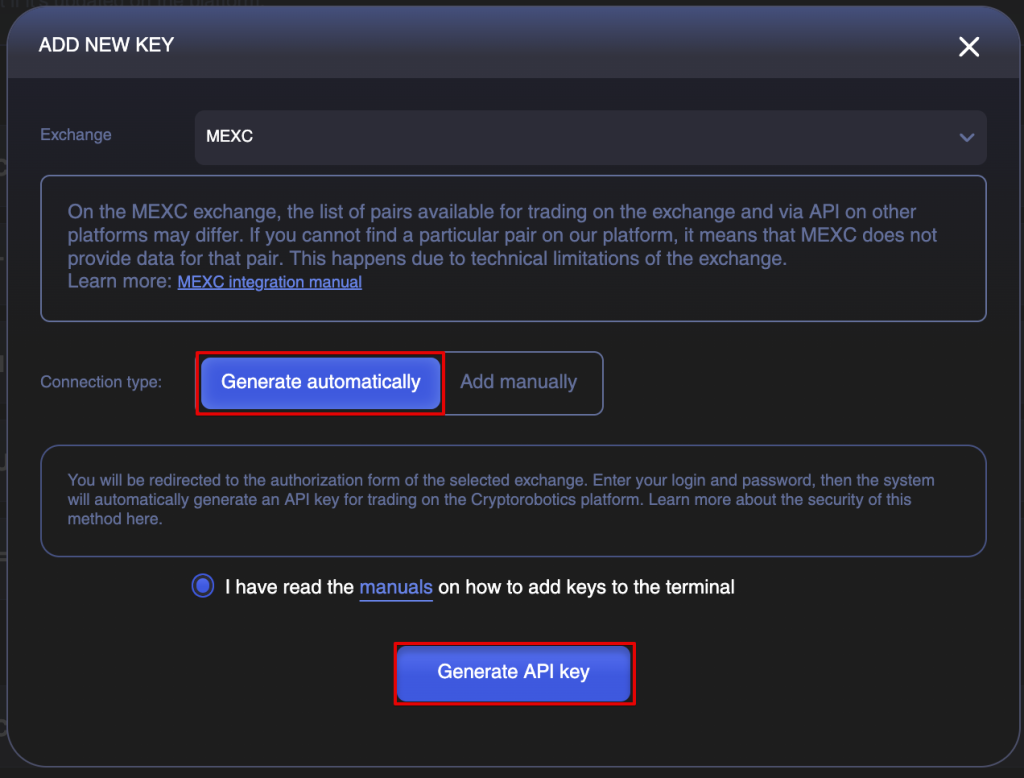
After selecting automatic connection, you will be redirected to the MEXC authorization page.
Enter your MEXC account login and password and complete the sign-in process (two-factor authentication may be required if enabled).
Next, you will need to confirm the request to authorize a third-party account. This is required to create API keys for trading on the platform. You will see a list of permissions assigned to the key. To proceed, click the “Authorize” button.
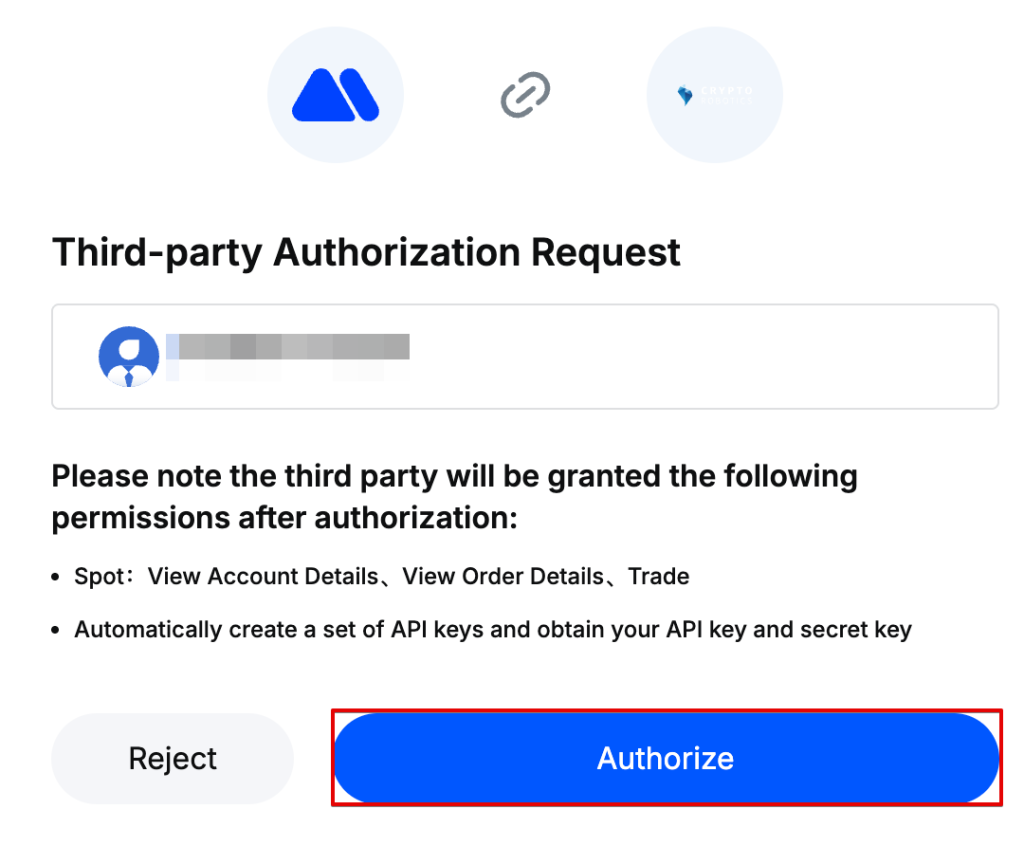
After successful authorization, the system will automatically generate and save the API key for trading, and you will be redirected to a confirmation window indicating successful creation. Close the window by clicking “Close”.
Done! Your API keys have been successfully integrated into the platform.
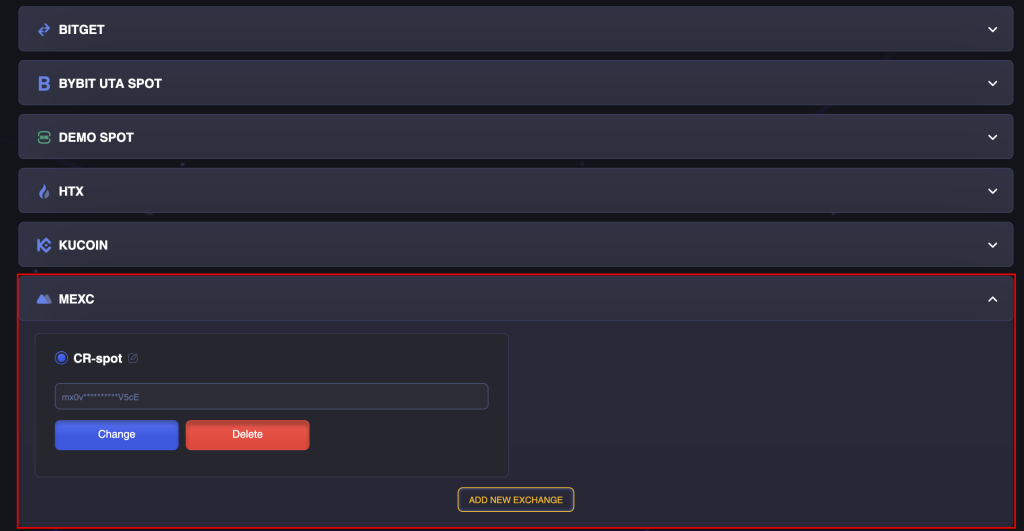
Manual Creation and Integration of API Keys
- Log in to the website https://www.mexc.com.
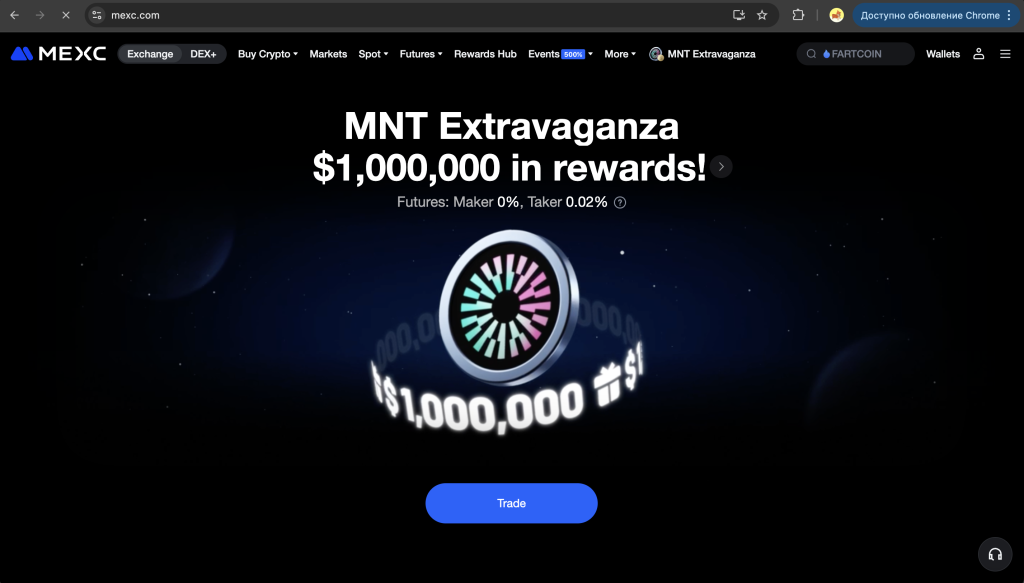
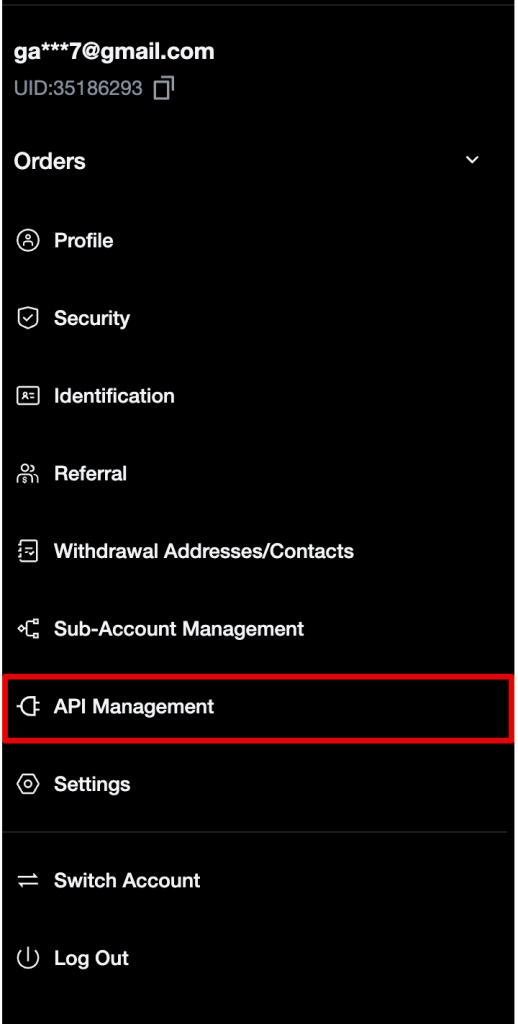
- In the top-right corner, click on the profile icon and select API Management.
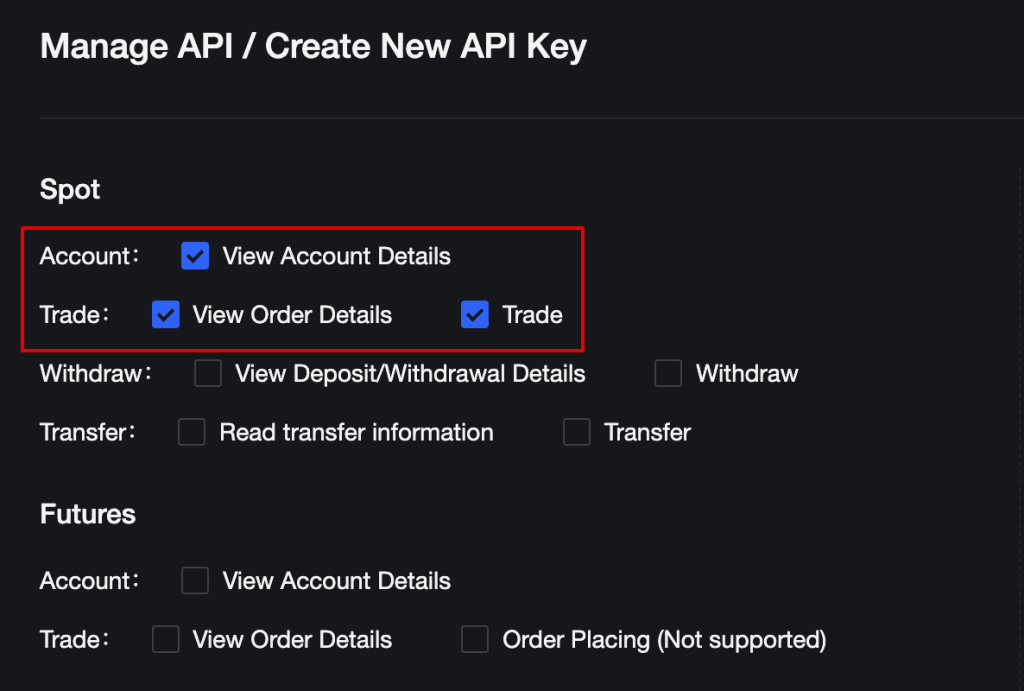
- In the permissions list under the Spot section, select:
- ✅ Account – View account details
- ✅ Trading – View order details and Trading
- ⚠️ Do not enable Withdrawals for security reasons.
- In the Notes field, enter any name for the key (e.g., CryptoRobotics).

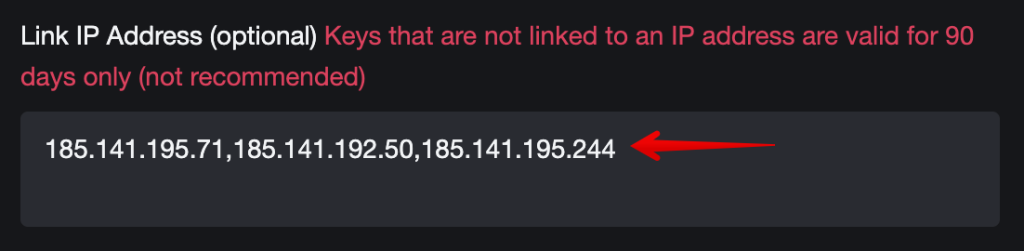
- Enter the following IP addresses in the Link IP Address field:
185.141.195.71
185.141.192.50
185.141.195.244
- Review the Risk Reminder, check the checkbox, and click Create.

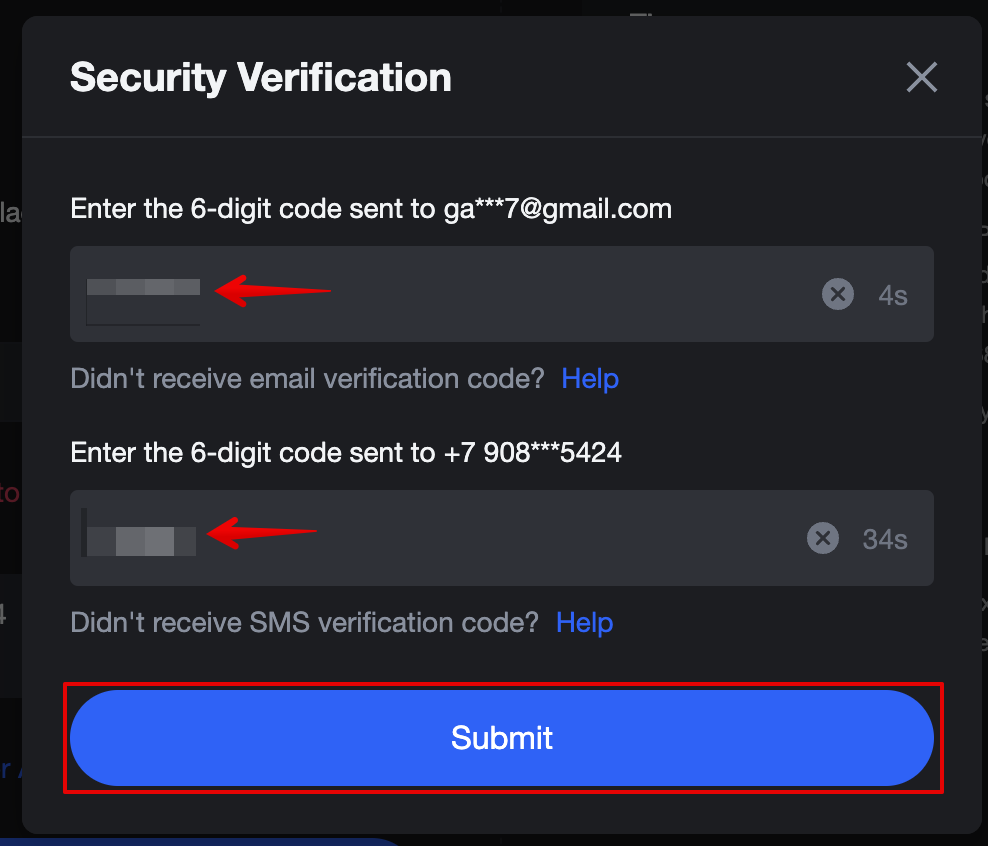
- Confirm the creation of the key via:
- The code sent to your email
- The code sent via SMS
And click Submit.
- After confirmation, the system will display:
- API Key
- Secret Key
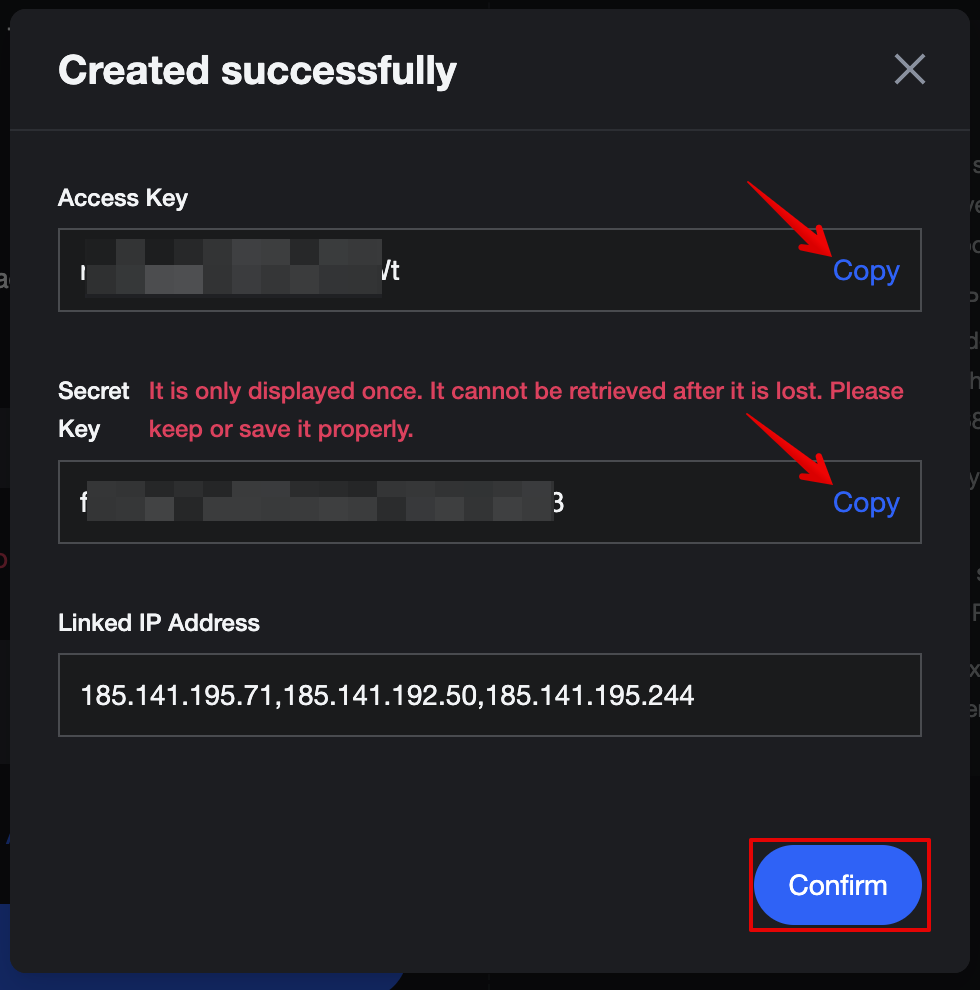
❗️Attention: The Secret Key is displayed only once — make sure to copy and save it in a secure place immediately.
How to Connect API Keys to the Platform
- Go to your account on the platform.
- Open the Exchange Accounts section.
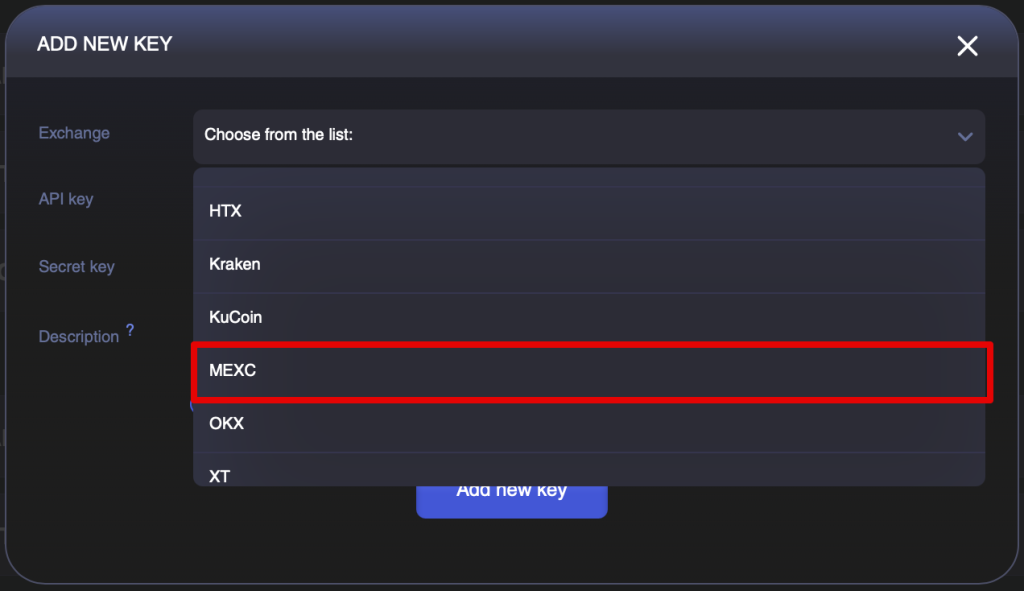
- Click Add New Key.
- In the list, select MEXC.
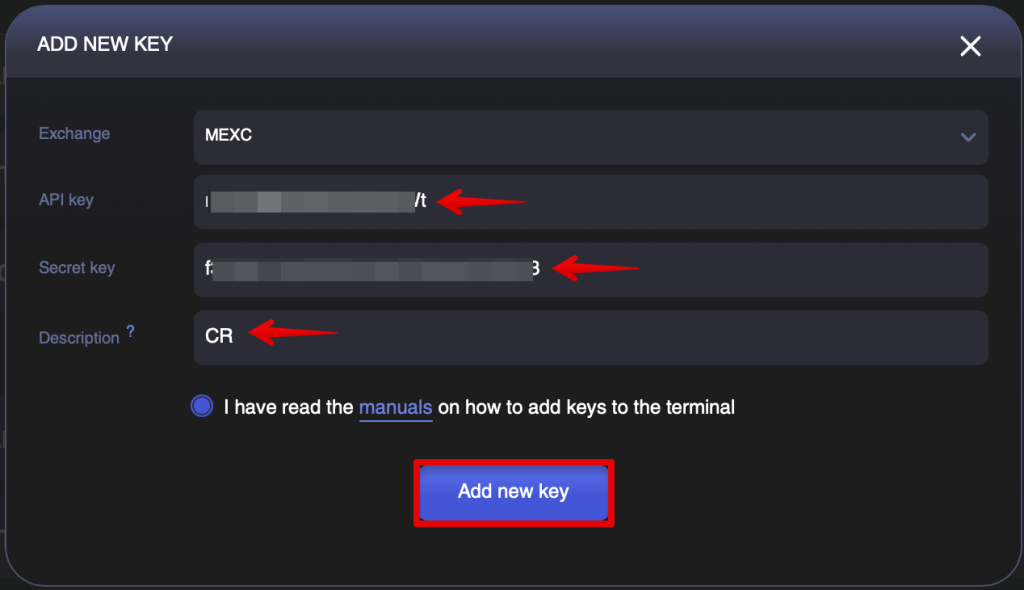
- Paste in:
- your API Key
- your Secret Key
- Enter a Description for the key and click Add New Key.
Done! Your API keys have been successfully integrated into the platform.