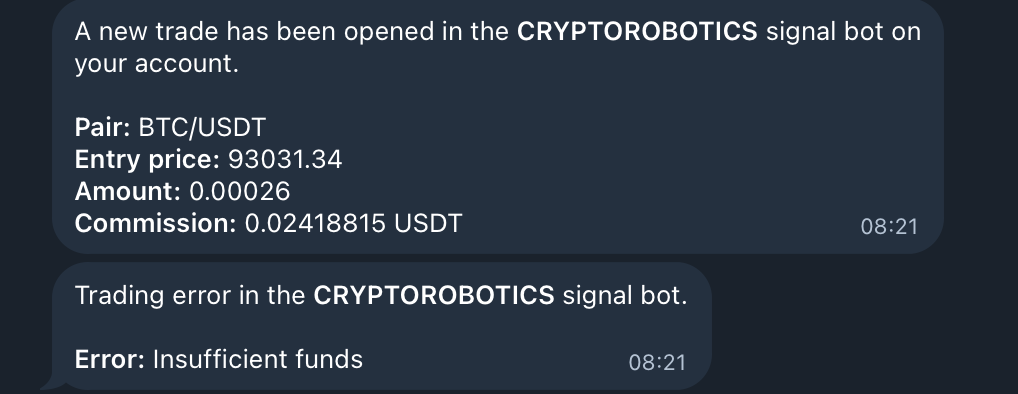
1. What does this feature include
You can now receive instant notifications about important events on the platform directly in Telegram. This includes alerts about opened and closed trades, errors, subscription expirations, Profit Sharing events, and more.
Notifications are delivered through the Telegram bot @cryptorobotics_auth_bot.
2. How to connect Telegram notifications
Step 1. Connect your Telegram account
- Open the platform.
- Go to Profile → Telegram Notifications section.
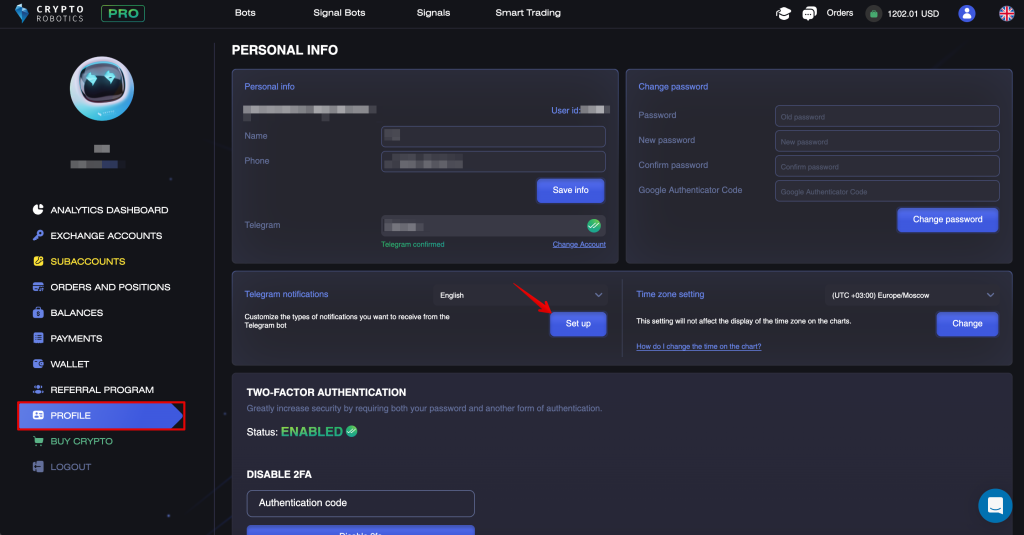
- Click Set up and connect Telegram if you haven’t done so already.
- You will be redirected to the Telegram bot.
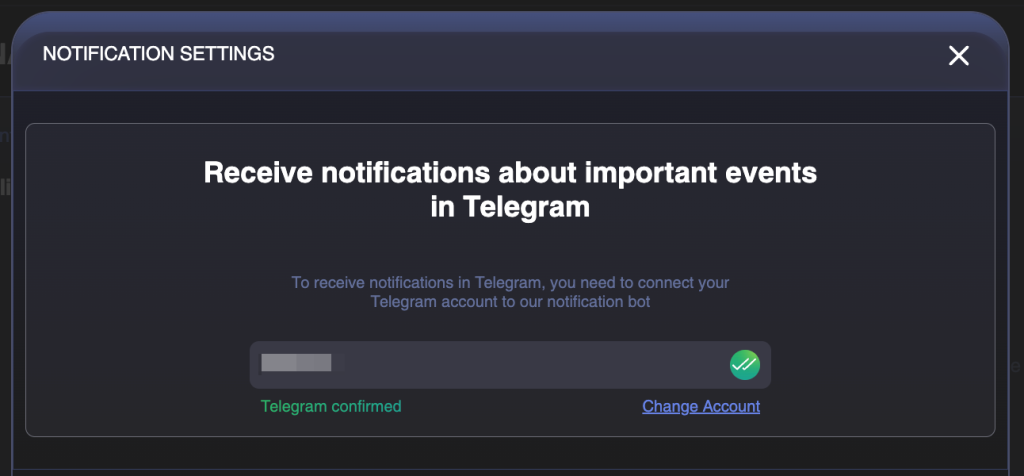
- In the bot, click “Confirm” to link your Telegram account with your platform profile.
After confirming, you will see the status “Telegram confirmed”.
3. Where you can manage notifications
You can manage notification settings in two places:
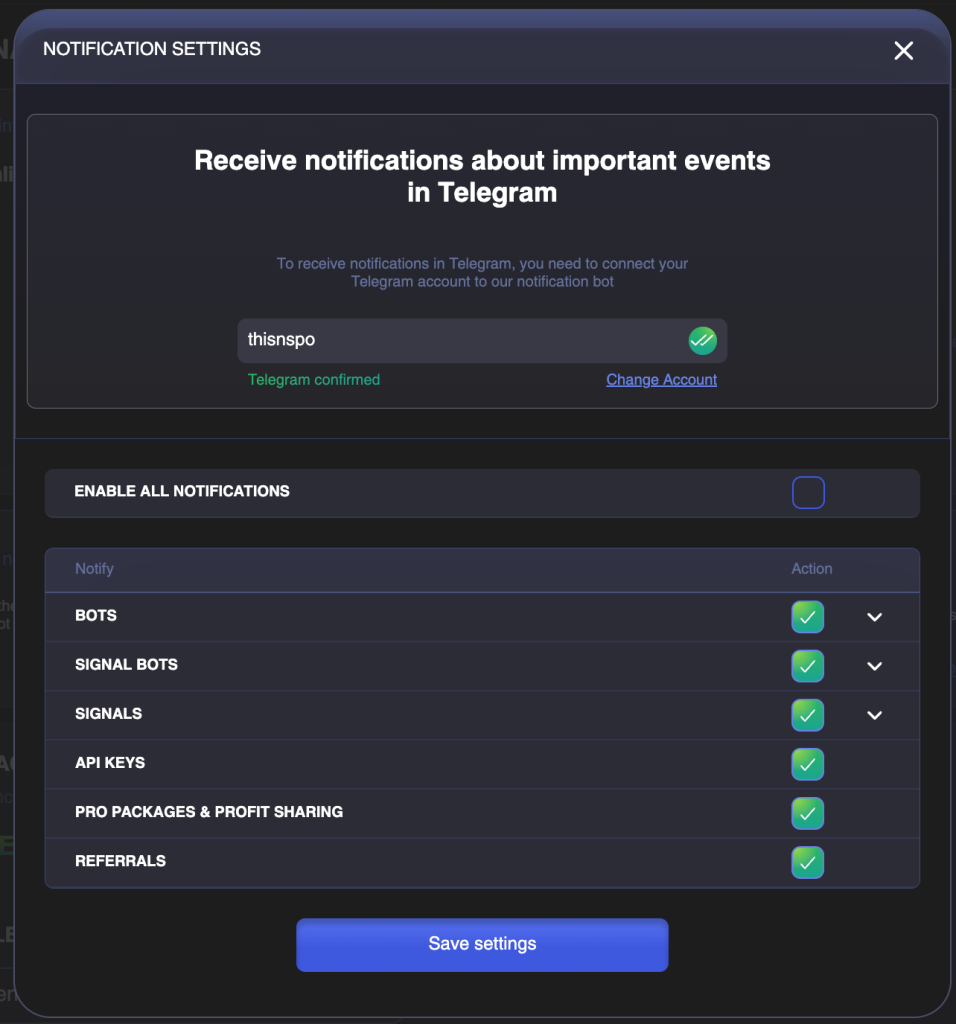
1. On the platform — in “Profile → Telegram Notifications”
This is the main control center for all notifications.
2. Inside each automated tool
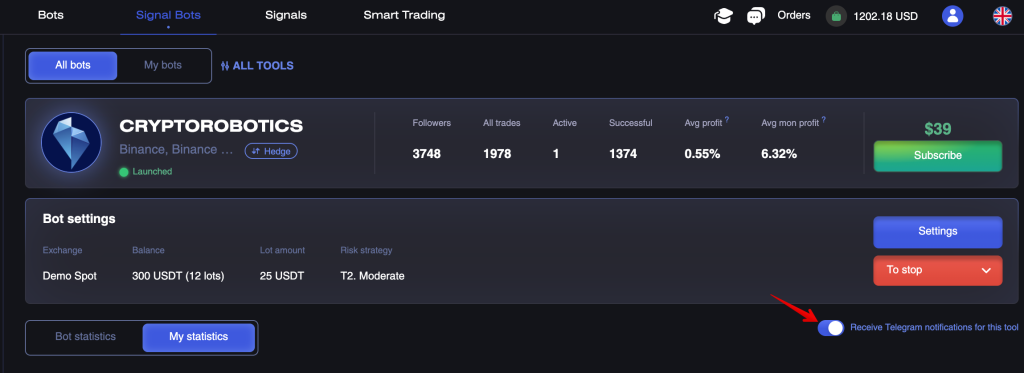
Every bot or signal channel has its own toggle:
“Receive Telegram notifications for this tool”
4. How notification settings are structured
Notification settings consist of three levels:
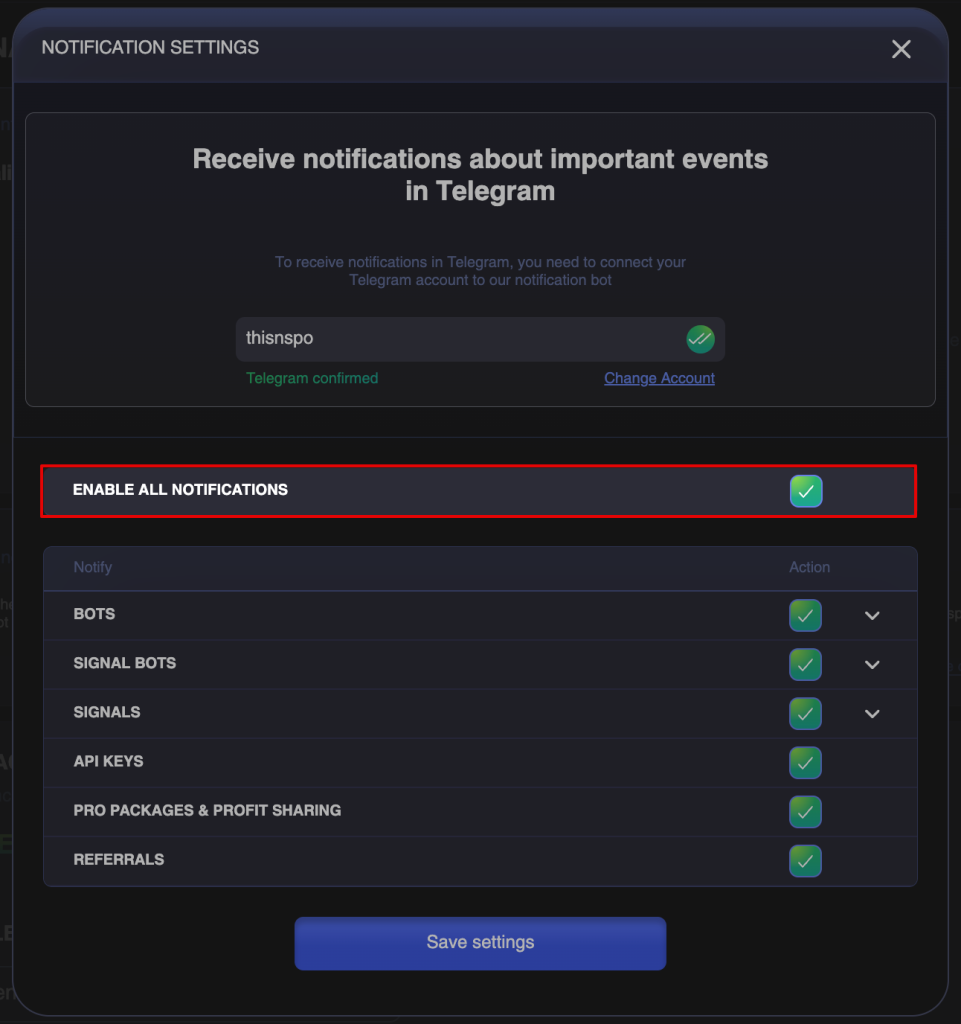
Level 1 — Master switch
“Enable all notifications”
Turns all platform notifications on or off.
Level 2 — Categories
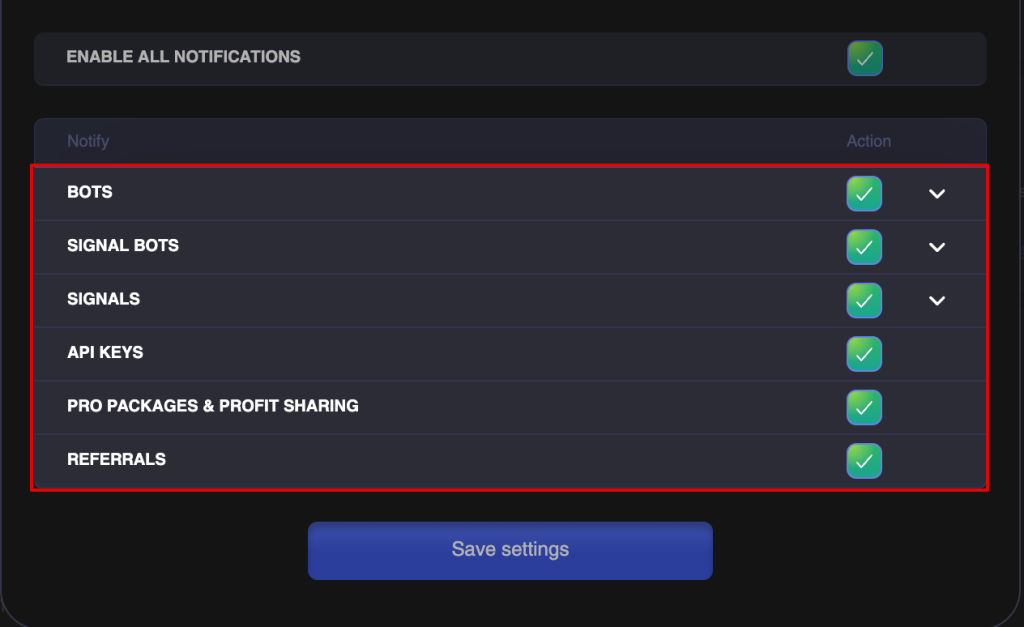
You can enable or disable whole groups:
- Bots
- Signal bots
- Signals
- API keys
- PRO packages & Profit Sharing
- Referrals
Level 3 — Individual tools and sub-options
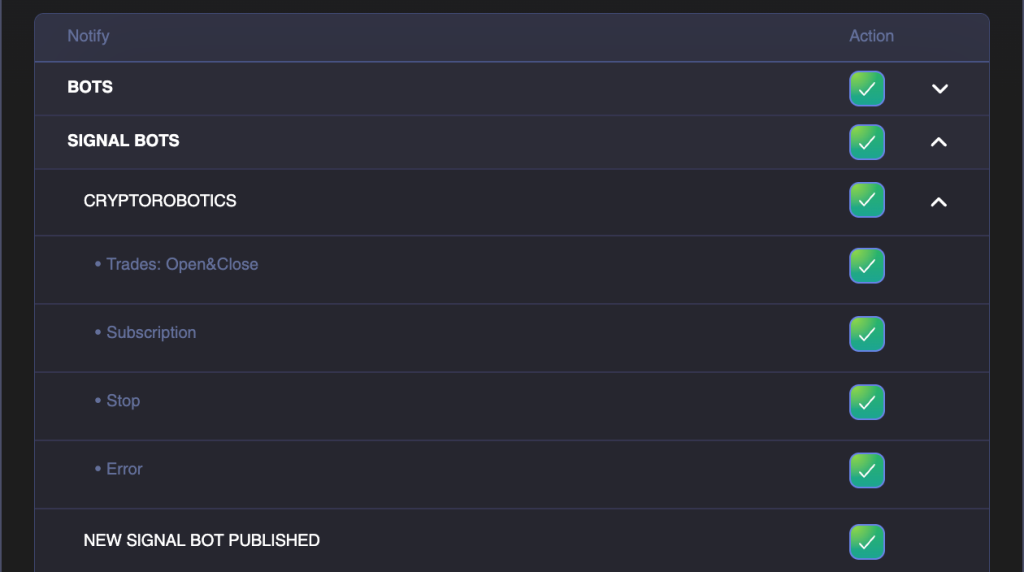
Each bot or signal channel includes these subcategories:
- Trades (open/close/liquidation)
- Subscription
- Stop
- Error
Stop and Error notifications are enabled automatically if notifications for the tool are turned on.
5. Full list of categories and events
1. Bots
Includes notifications from all bots available via subscription, demo mode, or Profit Sharing.
Subcategories
1.1. Specific bots (e.g., Crypto Future)
Includes:
- Trades
- new trade opened
- trade closed
- position liquidated
- Subscription
- subscription expired
- subscription expires in 2 days
- Stop
- Error
1.2. New bots added
Notifications about new bots appearing on the marketplace.
2. Signal bots
Works the same way as the “Bots” category.
Subcategories:
- Trades
- Subscription
- Stop
- Error
- New signal bots added
3. Signals
Notifications from subscribed signal channels.
Types:
- new signals
- trade open/close
- liquidation
- subscription
- error
- new channels
4. API keys
Notifications about API key being disconnected.
5. PRO Packages & Profit Sharing
PRO Packages
- subscription expired
- subscription expires in 2 days
Profit Sharing
- debt detected
- tool will be stopped in 1 day (if launched with delayed deposit)
- tool stopped
6. Referrals
- new referral registered
- reward received
- withdrawal made from referral balance
7. What notifications look like
All notifications are delivered to the Telegram bot in a text format that includes the tool name and a clear description of the event.