To create API key you need to have an account on https://www.kucoin.com/
To create an account, please use the Sign up button.
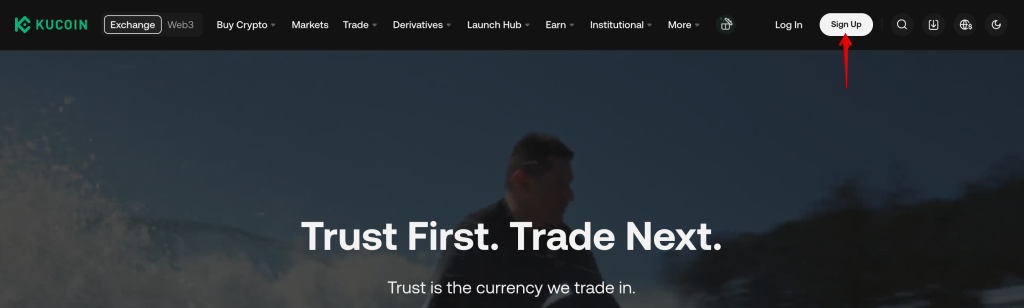
You can create API keys for the Kucoin exchange in two ways:
- through automatic key integration
- manually
Automatic creation and integration of API keys
Use the ADD NEW KEY button in the Account -> Exchange Accounts section.
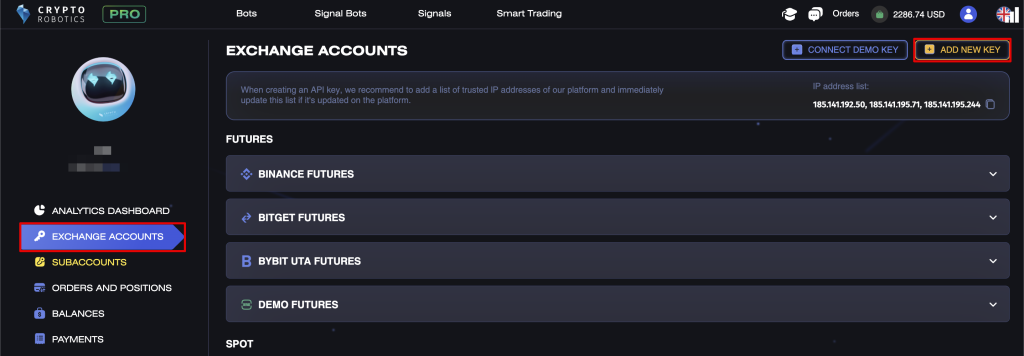
Step 1. In the list of available exchanges, select Kucoin.
Make sure that the “Generate automatically” connection type is selected and click “Generate API Key”.
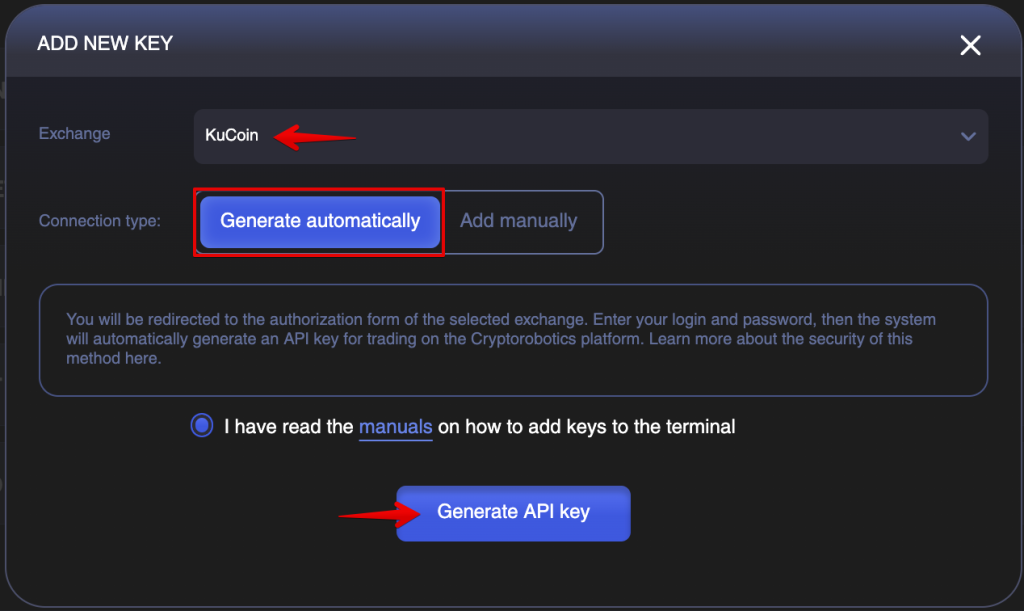
After selecting auto-generation option, you will be redirected to the Kucoin authorization page.
Step 2. Enter your Kucoin account email and password and complete the login (two-factor authentication may be required if enabled).
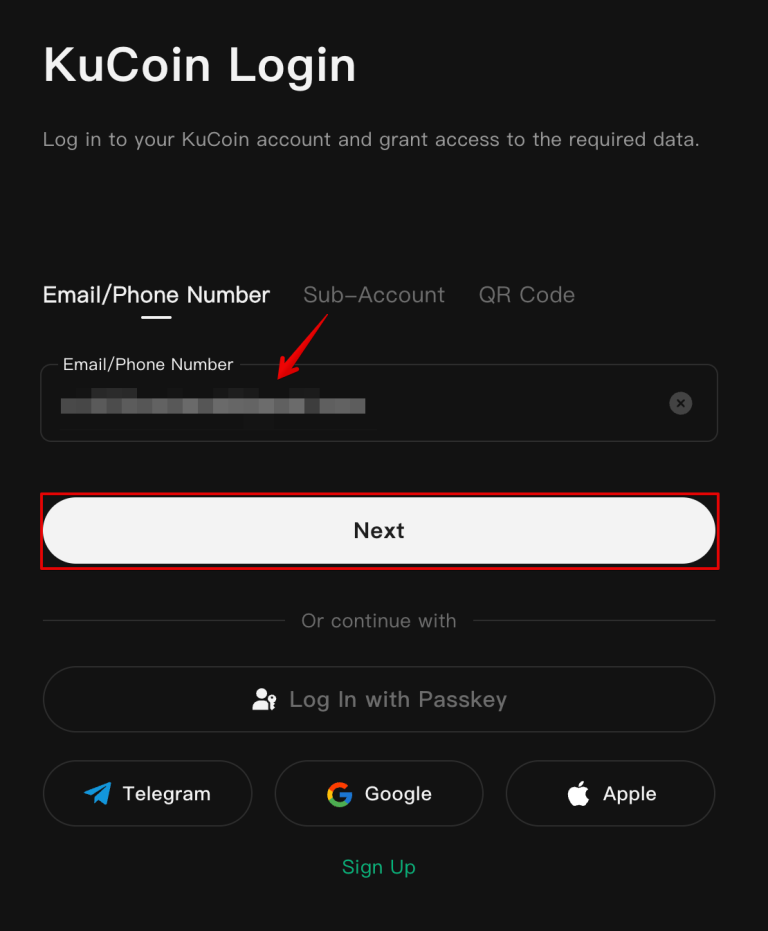
Step 3. After successful authorization, you will need to check the box indicating your consent to grant access to your KuCoin account and click the “Confirm” button.
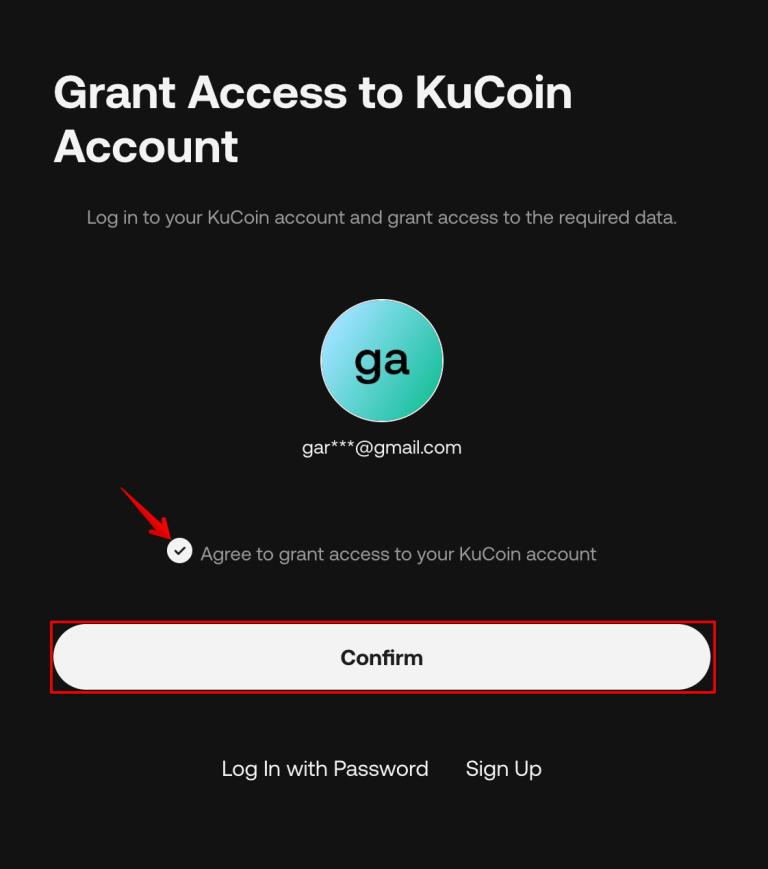
After successful authorization, the system will automatically generate and save API-key for trading on the platform, and you will be redirected to the window with a message about successful API-key creation.
Close the window using the “Close” button.
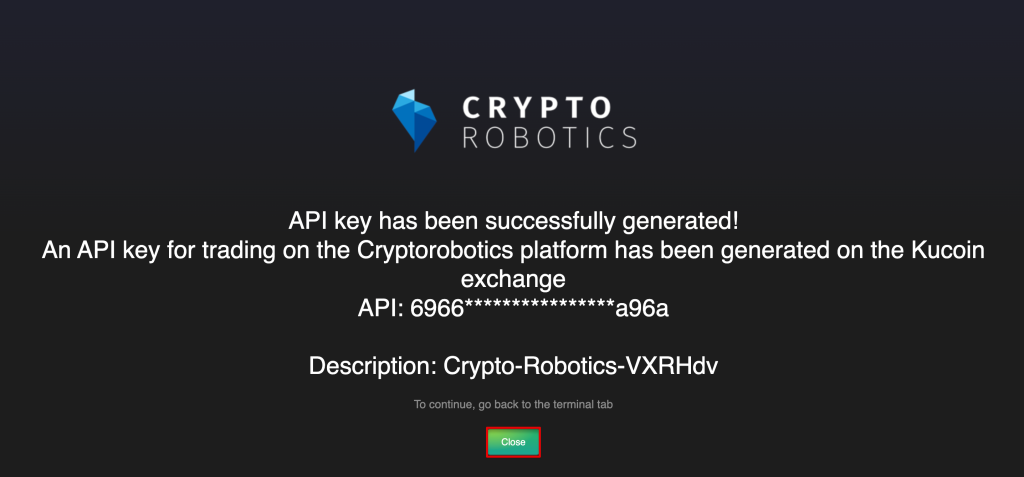
Done! API keys for KuCoin have been successfully created and integrated on the platform.
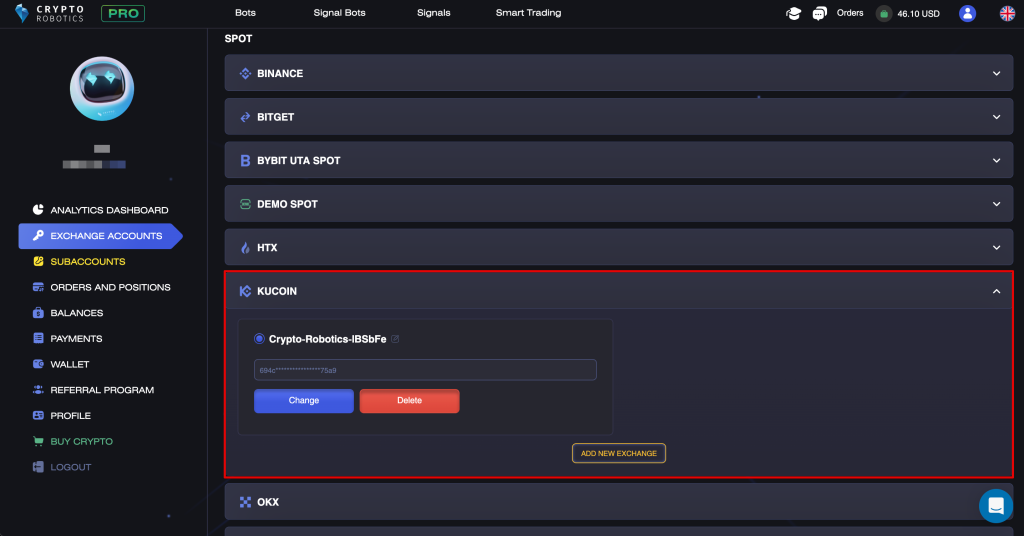
Manual creation and integration of API keys
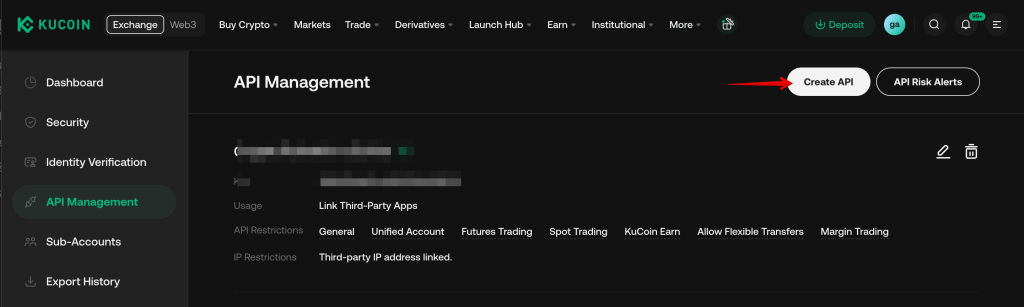
Step 1. After you are successfully logged in find the button of your account and click the API Management line.
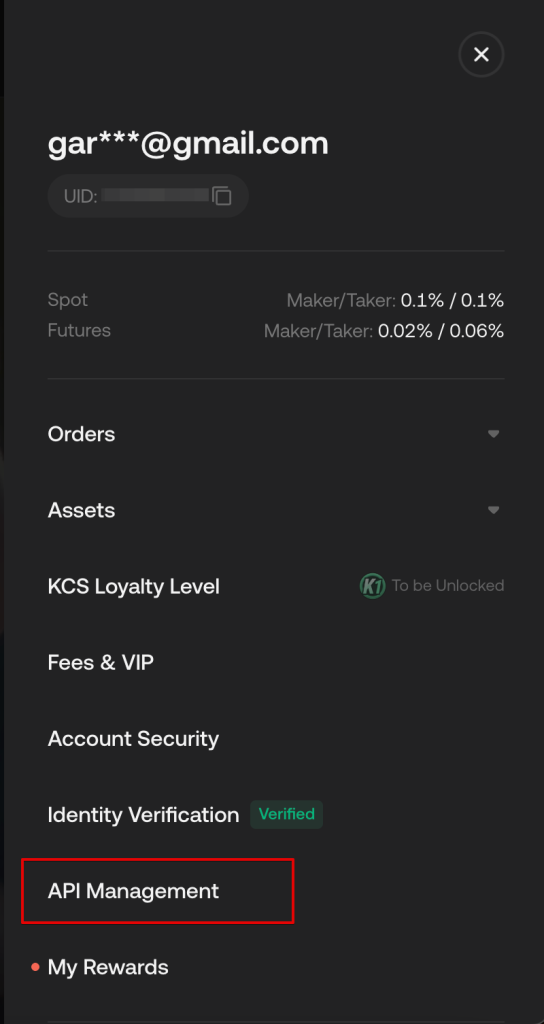
In the new page click the Create API button.
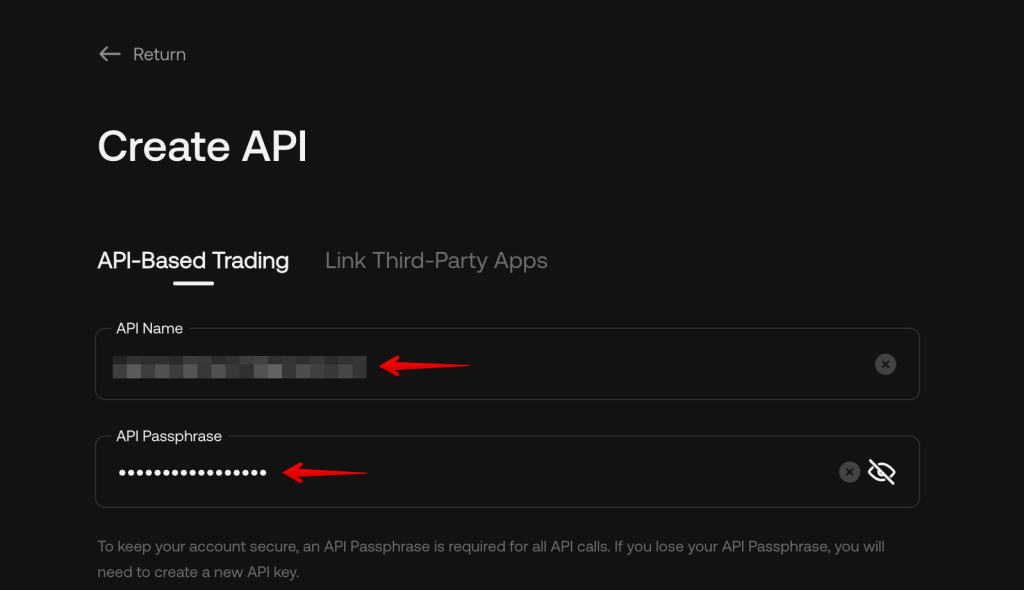
Specify a name for the new API key and API passphrase. You also need to add permission for Spot Trading:
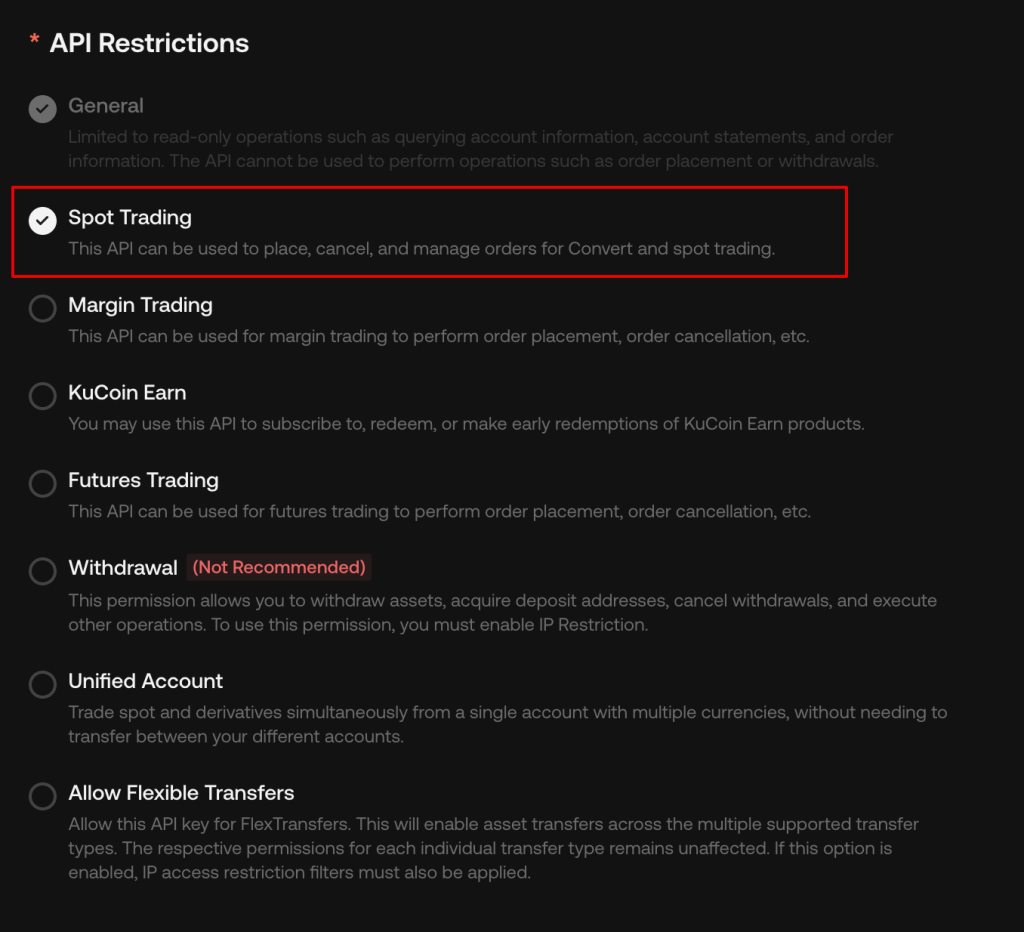
ATTENTION! Do not add Withdrawal to the key parameters.
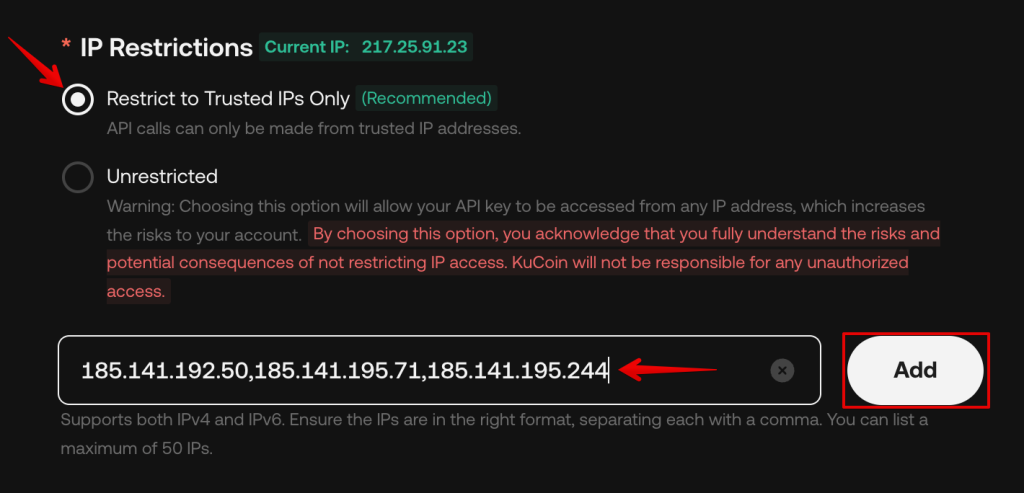
Choose the Restrict to Trusted IPs Only option and enter the following IP addresses, separated by commas, in the Bind IP address field and click the Add button:
185.141.195.71
185.141.192.50
185.141.195.244
Now you need to go through verification by email.
1) Enter the trading password specified during registration,
2) Enter your Google Authenticator code,
3) Click the Confirm button.
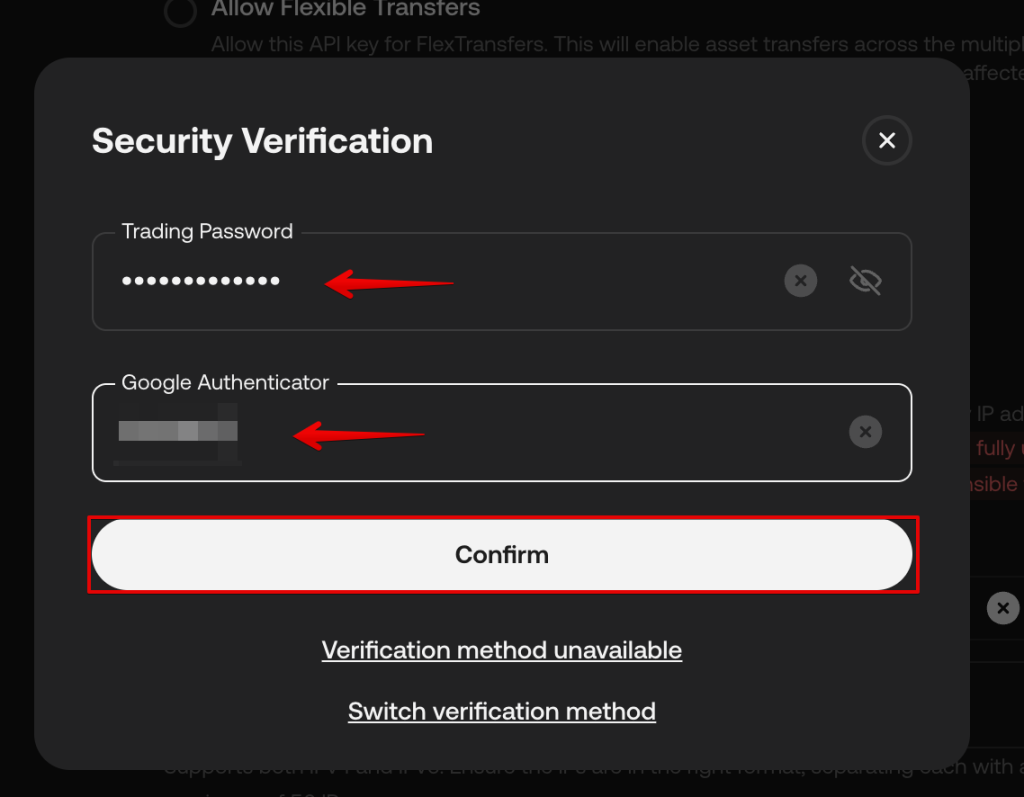
After you click the Confirm button, your API key will be generated automatically. Copy the API key and secret key.
ATTENTION! The secret key will be shown only once. To use it further please save it in the safe folder.
Step 2. Add the key to Cryptorobotics account.
Use the + ADD NEW KEY button in the Account -> Exchange accounts section.
- Choose the exchange: KuCoin
- Add the API key from your account on KuCoin
- Add the Secret key from your account on KuCoin
- Enter the API-key password you entered when creating this key on the exchange
- Enter the description
- Click Add new exchange
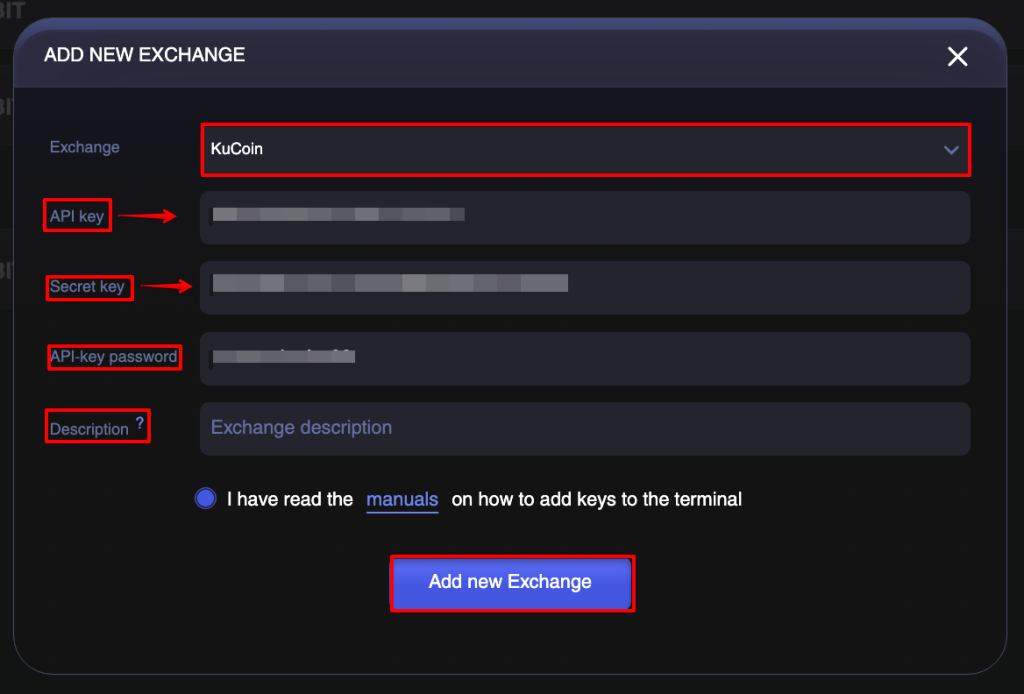
After the key was added, it will appear in the same window, start Trading or Algotrading.
Important! Please note that in order to trade on the CryptoRobotics platform, your funds must be located in a trading account on the KuCoin exchange.
If your package includes the Multiple accounts, you can add as many keys of KuCoin as you have.